Short answer
Lower the nozzle temperature in steps of 5 °C and tune retraction first. If it still strings, the filament is most likely damp and needs drying.
Stringing: the short answer
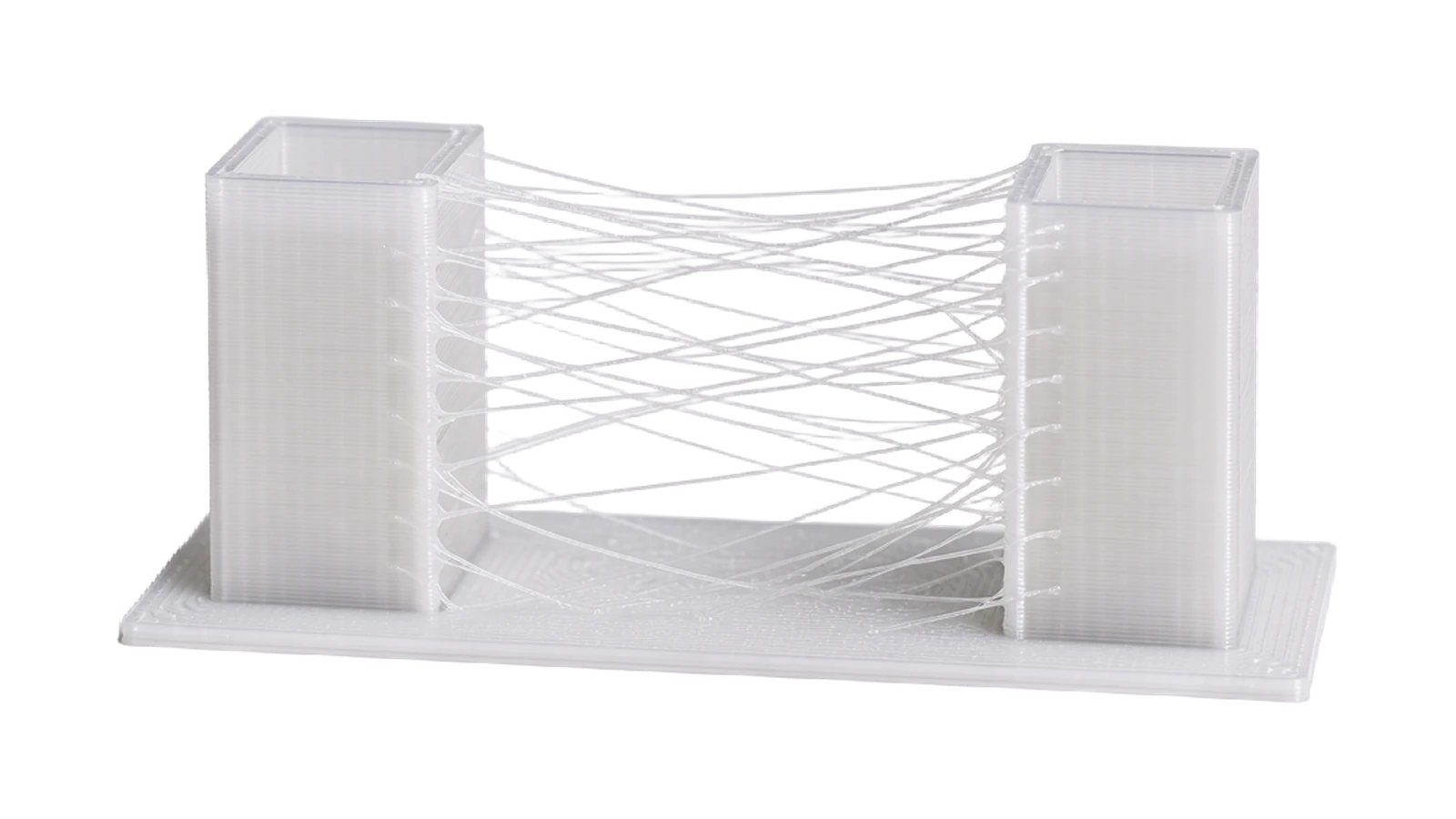
Stringing is the thin plastic strands that form between parts of the print when the nozzle moves without printing. It happens because molten filament oozes out during the move, and the three big causes are too high a temperature, wrong retraction and damp filament. Fixed properly, the print comes out clean without any rework.
Rule of thumb: Lower the nozzle temperature in steps of 5 °C and tune retraction first. If it still strings, the filament is most likely damp and needs drying.
Fixes in the right order
1. Lower the nozzle temperature. The hotter the melt, the runnier it gets and the more easily it oozes out. Lower it in steps of 5 °C within the data sheet range, for PETG for example 220–255 °C, and look at the result between steps. A temperature tower, a test model printed in several temperature steps, finds the right level in a single print. It is a general trick that works for all materials.
2. Tune retraction. Retraction pulls the filament back a little before the nozzle moves, so that the pressure in the melt is released. Two values control it: distance and speed. Increase the distance in steps of half a millimetre and the speed in steps of 5 mm/s. Direct drive extruders want short distances of around 0.5 to 2 millimetres, Bowden printers longer, around 3 to 6 millimetres. Also turn on the setting usually called wipe or z-hop if strands stick to the surface of the part.
3. Dry the filament. Moisture in the filament turns to steam in the nozzle and pushes out the melt, which causes stringing that no settings in the world can remove. If you hear small popping or hissing sounds during the print, that settles it. PETG, TPU and nylon in particular absorb moisture quickly; how to dry and store them correctly is covered in the guide on how to dry damp filament.
4. Increase the travel speed. Faster moves give the melt less time to ooze. Raise the travel speed in the slicer to 150 mm/s or more if your printer can manage it. It also reduces the time the strands have to attach.
Materials that string more than others
The tendency depends on how runny the material is and how readily it absorbs moisture. The nozzle temperatures come from our data sheets.
More on PETG and TPU
PETG is the material that strings most often, because it is stickier when molten. That does not mean anything is wrong with the filament: with the right temperature and retraction it prints cleanly, and we go through the settings step by step in How to print PETG. TPU needs low speed and gentle retraction; more on that in How to print TPU.
Frequently asked questions about stringing
Why does my PETG string so much?
PETG is stickier when molten than other common filaments. Lower the nozzle temperature towards the bottom of the range (220–255 °C according to our data sheets), tune retraction and make sure the filament is dry, and most of it disappears.
Some stringing is left despite all the settings, is that normal?
Yes, especially with PETG and TPU. A few hair-thin strands come off quickly with a heat gun on low or with your fingers. Do not push retraction so far that feeding starts to suffer just to get rid of the last strands.
Can too much retraction be harmful?
Yes. Retractions that are too long or too frequent can grind the filament down at the drive gear and cause jams, and with TPU the soft filament can buckle in the extruder. Increase gradually and stop when the strands disappear.
How do I know if the stringing is caused by moisture?
Listen: damp filament hisses, crackles or pops in the nozzle. The surface also often becomes matt and rough. Dry the spool and print the same model again; if the strands are gone, moisture was the culprit.
Filament in 173+ shades, from 113 SEK
Every colour test-printed, vacuum-packed with a silica gel sachet and shipped from Tibro within 48 hours.